How to Send Text with an Invisible Link (A Hidden Hyperlink Guide)
How to Send Text with an Invisible Link (A Hidden Hyperlink Guide)
Want to send a normal-looking message that secretly carries a clickable link? That is exactly what an invisible link — also called a hidden hyperlink — does. The text looks completely clean, yet tapping the right spot opens your website, video, or file.
Marketers, pranksters, and curious experimenters all use this trick. This guide shows you the most reliable method step by step, plus where it works and how to use it responsibly.
What Is an Invisible Link?
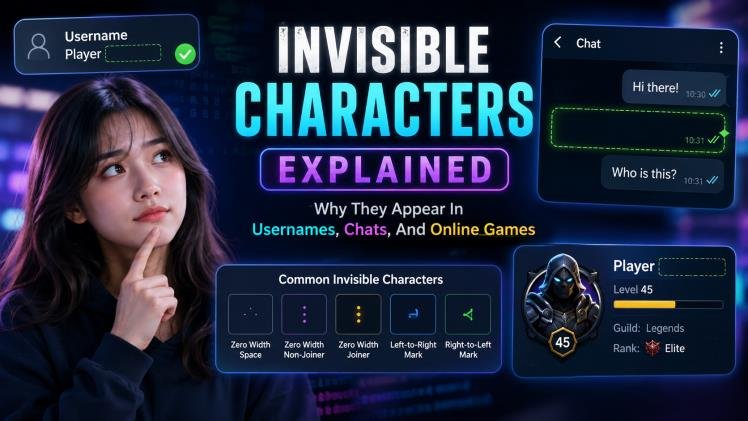
An invisible link is a genuine hyperlink that readers cannot see. There is no blue text, no underline, and sometimes no visible text at all — but the link still opens when tapped. It works because a hyperlink does not need visible anchor text; even a zero-width character can carry a link.
Why People Use Invisible Links
- Discreet click tracking: see who tapped and when, without an ugly tracking URL scaring people off.
- Cleaner messages: business emails, job applications, and formal chats stay tidy with no blue underlined clutter.
- Pranks and surprises: hide a funny video link at the end of an innocent-looking message.
- Better email performance: clean messages are more likely to land in the main inbox than in promotions or spam.
- Hidden affiliate links: recommend a product naturally while the commission link stays out of sight.
- Creative storytelling: game masters and writers hide “next chapter” links inside stories for readers to discover.
Method: The Zero-Width Space Trick (U+200B)
This is the most dependable technique across chat apps and email. It uses U+200B ZERO WIDTH SPACE (HTML ​) — a real character with zero visible width — as the clickable anchor.
Step 1: Copy the invisible character
The character is inside the square brackets above — hit the button to copy it to your clipboard.
Step 2: Write your normal message
Type your message exactly as usual in WhatsApp, Telegram, Gmail, or wherever you are sending it.
Step 3: Paste the invisible character
Paste the zero-width space where you want the hidden link — right after the final period works best, because that is where fingers naturally tap.
Step 4: Select the invisible spot and add your link
Carefully select just the invisible character (it looks like nothing is selected), then attach your URL: long-press and choose Link on a phone, or press Ctrl+K (Cmd+K on Mac) on a computer, and paste your link.
Step 5: Send and test
Send the message, then tap the spot yourself to confirm it opens the right page before sharing it with anyone else.
Other Ways to Hide a Link
- White text trick (email and web): type a single dot, color it white on a white background, and hyperlink it. It vanishes visually but stays clickable.
- Transparent 1×1 image: link a tiny invisible image in email campaigns — it never trips text filters.
- Styled normal link: remove the underline and match the text color. Almost nobody notices it is a link, and it is the most honest option.
Compatibility: Where Each Method Works
| Platform | Zero-Width Space | White-Dot Trick |
|---|---|---|
| Yes | Limited | |
| Telegram | Yes | Yes |
| iMessage | Yes | No |
| Instagram DM | Yes | No |
| Gmail / Outlook | Yes | Yes |
| Discord | Yes | Yes |
| X / Twitter DM | Yes | Limited |
Tips for Best Results
- Place it after the final period — that is the most natural tap target in any message.
- Test on your own device first, ideally on the same app your recipient uses.
- Keep it ethical: never use hidden links to phish, mislead, or install anything — surprise pranks among friends are fine, deception is not.
- Do not overuse them in marketing; some platforms flag accounts that hide links aggressively.
Frequently Asked Questions
Yes. U+200B remains a valid Unicode character on all major platforms, and hyperlinking it works in WhatsApp, Telegram, Gmail, Discord, and most other apps.
No. The message looks completely normal. Only selecting all the text — or accidentally tapping the exact spot — reveals anything.
Right after the last period or at the very end of the message, where fingers naturally land when tapping.
Normal, occasional use is fine. Mass-sending hidden tracking or affiliate links can trigger spam filters, so use them sparingly and transparently where it matters.
Want more blank space? Our free Invisible Texts generator builds empty text, zero-width characters, and custom spacing for bios, messages, and usernames — no sign-up needed.