Invisible Characters Explained: What They Are and Where They Appear
Invisible Characters Explained: What They Are and Where They Appear
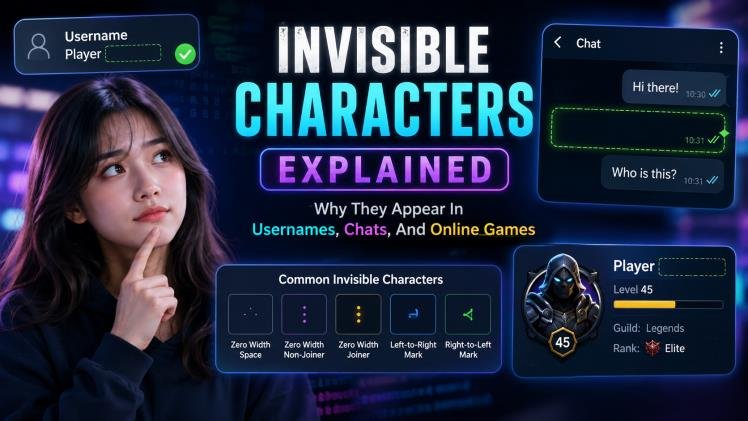
Invisible characters look like empty space, but they are still real characters with real data behind them.
A normal space creates visible separation between words. An invisible Unicode character may take up no visible width at all — the screen looks blank, yet software can detect that something is there. That gap between appearance and data is where usernames, chats, and games start behaving strangely.
What Counts as an Invisible Character?
Any Unicode character that performs a function without producing an obvious visible mark qualifies. Some are spaces of unusual widths, some have literally zero width, and some are format controls that tell software how to join, order, or shape the surrounding text. Developers use them for legitimate reasons: supporting complex scripts, fine typography, and text layout.
Confusion starts because platforms handle them inconsistently. One app accepts an invisible character in a username; another strips it silently. A chat client may count it toward the message length while a game client ignores it. So invisible text is not the same as empty text — it only looks that way to human eyes.
The Three Main Categories
1. Visible-width spaces
Characters like the en space (U+2002), em space (U+2003), figure space (U+2007), and the fractional em spaces render as real gaps of fixed width. They look like spacing, but each has an exact, font-relative measurement that never collapses like an ordinary space.
2. Zero-width characters
Characters like the zero-width space (U+200B), zero-width non-joiner (U+200C), and zero-width joiner (U+200D) occupy no horizontal space at all. They are completely invisible yet still count as characters — which is why they can make two “identical” usernames technically different strings.
3. Format and control characters
Marks like the soft hyphen (U+00AD), word joiner (U+2060), and bidirectional controls influence line breaking, joining behavior, or text direction without drawing anything themselves. They are essential for correct rendering of many of the world’s writing systems.
Common Invisible Characters at a Glance
| Character | Code Point | What It Does |
|---|---|---|
| Space | U+0020 |
The ordinary word separator from the spacebar; allows line breaks and collapses in HTML. |
| No-Break Space | U+00A0 |
A space that glues words together so they never split across lines. |
| En Quad | U+2000 |
Fixed space exactly one en (half em) wide, from the metal-type tradition. |
| Em Quad | U+2001 |
Fixed space exactly one full em wide. |
| En Space | U+2002 |
Fixed half-em space for precise typographic gaps. |
| Em Space | U+2003 |
Fixed full-em space; HTML entity  . |
| Three-Per-Em Space | U+2004 |
Fixed space one-third of an em wide. |
| Four-Per-Em Space | U+2005 |
Fixed space one-quarter of an em wide. |
| Six-Per-Em Space | U+2006 |
Fixed space one-sixth of an em wide. |
| Figure Space | U+2007 |
Space as wide as a digit — keeps number columns aligned. |
| Punctuation Space | U+2008 |
Space as wide as a thin punctuation mark. |
| Zero Width Space | U+200B |
Completely invisible; allows a line break where it sits. |
Want any of these individually? Each space has its own copy page — for example the En Space (U+2002), the Em Space (U+2003), and the No-Break Space (U+00A0).
Where Invisible Characters Show Up
Usernames and game profiles
A username is data, not just what players see. If two names look identical but one contains an invisible character, the database sees two different strings — which is why some platforms appear to allow “duplicate” names. There is no universal rule: one service accepts these characters, another strips them at signup, and a third normalizes them away.
Chats and messages
Copying a message can silently carry invisible characters along with it. Pasting that text elsewhere may then produce odd spacing, unexpected character counts, or validation errors. This is why deleting a glitchy snippet and retyping it by hand sometimes fixes problems that ordinary editing cannot.
Search and moderation
Search tools match character data, not appearance. If a stored username contains an invisible character, searching for its visible letters alone may fail. Moderation filters face the same challenge, which is why modern systems normalize text before comparing it.
How to Detect and Remove Them
- Show invisible characters in your editor — most code editors and word processors have a “show whitespace / formatting marks” mode that reveals them.
- Use a Unicode inspector to view the exact code points in a suspicious string, or paste it into our Invisible Texts generator test area.
- Strip with a pattern: developers commonly remove zero-width and format characters with a character class such as [\u200B-\u200D\uFEFF] before validation or storage.
- Normalize on input so visually similar strings are compared consistently, rather than trying to ban Unicode outright — many languages depend on these characters.
Frequently Asked Questions
No. Empty text has zero characters; invisible text contains real Unicode characters that software reads, stores, and counts — they just do not draw anything obvious on screen.
One of them likely contains an invisible character. They look the same to you, but the platform’s database sees two different character sequences.
Yes. If the stored text contains characters your query does not, a plain text search can miss it. Normalizing text before comparing solves most of these cases.
Not blindly. Many are legitimate parts of world writing systems. The better approach is to normalize input and strip only the specific characters that cause problems for your use case.
Want more blank space? Our free Invisible Texts generator builds empty text, zero-width characters, and custom spacing for bios, messages, and usernames — no sign-up needed.